- E2B #1: How to make a multiboot USB drive using Easy2Boot v2.21
- E2B #2: How to install Microsoft Windows using Easy2Boot v1.9
- E2B #3: How to make a UEFI multi-boot Easy2Boot USB drive v1.02
- E2B #4: UEFI-multiboot using the a1ive grub2 File Manager v1.23
- Getting started with Ventoy v1.08 (for Ventoy 1.0.71)
- Getting started with grub4dos v1.01
Steve's blog about RMPrepUSB, Easy2Boot and USB booting and sometimes other stuff too! Don't forget to Subscribe! PDF eBooks here
Visit www.rmprepusb.com for over 140 Tutorials on USB booting or www.easy2boot.xyz for a unique USB multiboot solution.
Monday, 18 April 2022
eBook updated - How to make $1000 a month from the Internet v1.07
Friday, 8 April 2022
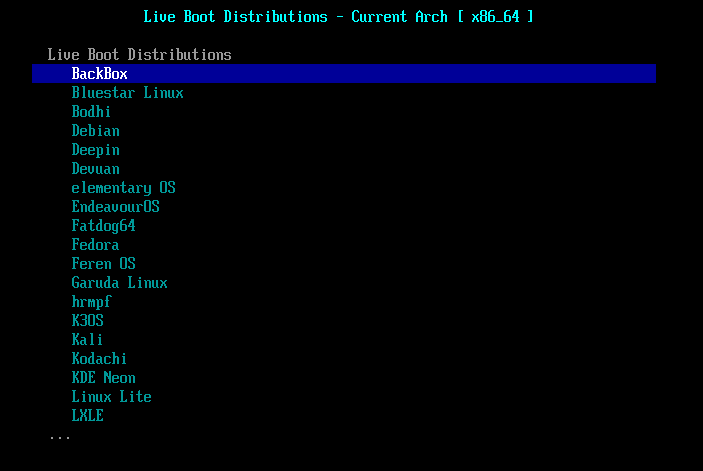
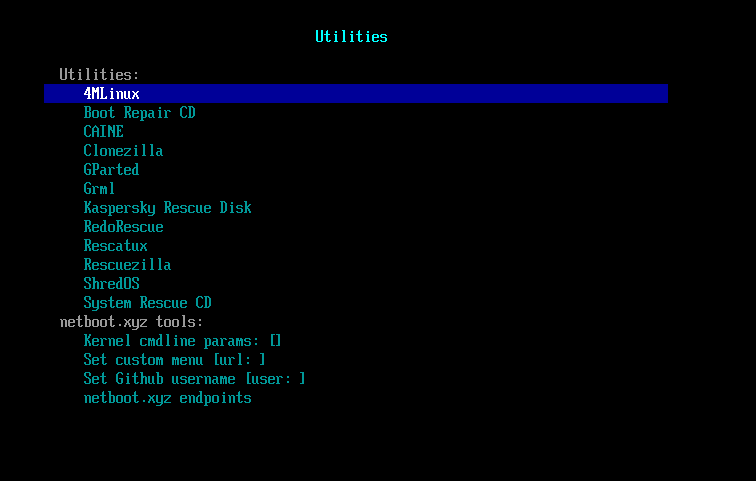
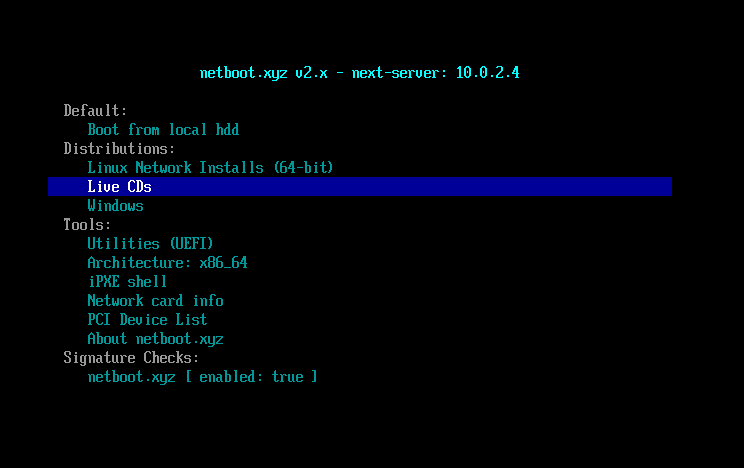
How to boot to a hundred different payloads from just one ISO!
The netboot.xyz project has come a long way in a few years and many more payloads are now supported.
This is most suitable for people who have fast internet via Ethernet (e.g. company offices, etc.).
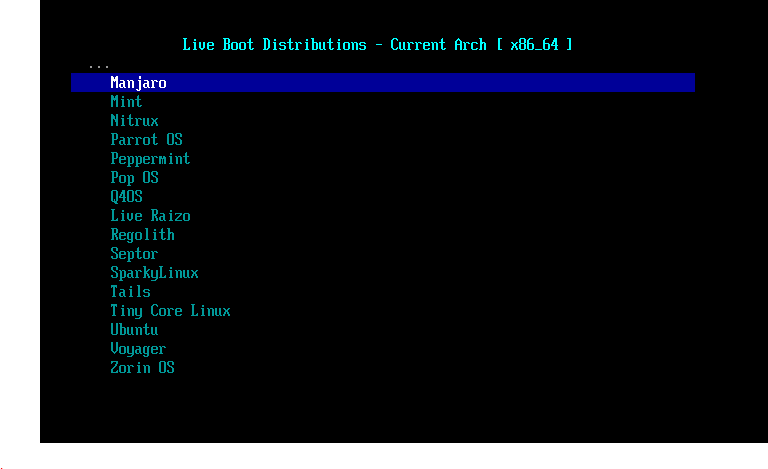
32-bit and 64-bit payloads are supported, including Fatdog, Manjaro, Kali, Ubuntu, Parrot, Peppermint, Pop OS, Tails, Tiny Core Linux (for quick boot to Linux), Voyager, Zorin, Boot Repair, Clonezilla, DBAN, gparted, Kasperksy, RescueTux, Super grub disk, Rescuezilla, Ultimate Boot CD and many more including Linux installers.
See FAQ for full list.
Just add the ISO to your E2B USB drive.
See here for a previous netboot article.
Friday, 1 April 2022
Costs are going up - here are some tricks I use to save and make money
Times are hard! In the UK the cost of electricity and gas has almost doubled, vehicle fuel is up by 50% and the Retail Price Index is up 6% and still rising. Savings interest rates are stupidly low but mortgage/borrowing rates are rising.
![]() |
| Theo the cat |
Energy costs
As I work from home and live on my own (if you don't count my cat Theo who has his own fur coat) then to save on my heating bills, during the Winter I turn the central heating thermostat down to 18°C and I only heat a few rooms. I also wear two 'arctic-rated' Damart thermal vests under my shirt and jumper together with thick corduroy trousers - this saves on fossil fuel expenditure and helps save a bit of the planet.
Sunday, 13 March 2022
Easy2Boot v2.12 released + new eBook revisions
E2B v2.12 is now released and contains a few small bugfixes.
I have also updated most of the eBooks.
- E2B #1: How to make a multiboot USB drive using Easy2Boot v2.21
- E2B #2: How to install Microsoft Windows using Easy2Boot v1.9
- E2B #3: How to make a UEFI multi-boot Easy2Boot USB drive v1.02
- E2B #4: UEFI-multiboot using the a1ive grub2 File Manager v1.23
- Getting started with Ventoy v1.08 (for Ventoy 1.0.71) - Amazon Kindle edition here #Ad
- Getting started with grub4dos v1.01
- How to make $1000 a month from the Internet v1.06
Thursday, 10 March 2022
How to edit PNG Alpha transparency levels (e.g. for a grub2 theme)
Recently I needed to edit some PNG files which were used in a grub2 theme (tutorial).
Many grub2 themes use a semi-transparent 'styled box' as a grey background on which the grub2 menu text entries are displayed.
Wednesday, 9 March 2022
Are you looking for a good website or blog host?
If you have read my eBook 'How to make $1000 a month from the Internet' you will see that I recommend that you set up your own website and/or blog and that you do not use the free hosts .
I also strongly recommend that you always use a WordPress (Linux-based) host server and that you do not go for any host which attempts to suck you in with free offers or very cheap deals. The reason is that after a year , when you come to renew your subscription, you will realise that their full annual rate is much more expensive than the others. Also, you will realise that in order to get certain features working on your site, you will need to purchase a more costly 'premium plan' and that you are now 'locked in' (having spent hundreds of hours on the design and content of your website).
Also, with a free host site, you are not in control. They can easily turn round one day and say 'we are sorry to announce that from next month we are closing this service' and you are stuffed!
Thursday, 24 February 2022
Invest now!
Whether you have purchased my ebook 'How to make $1000 a month from the Internet' and made some money from a side hustle for very little initial cost or you have some savings sitting in a bank account which is earning a paltry 0.7% interest at best (or 0.01% as some banks like Barclays and NatWest are offering - wow - thanks guys!) - why not invest it in stocks and shares?
Even if your savings are earning 2% a year, you are losing money when you take inflation and the rising cost of living into account!
Due to the Ukraine crisis, now is a perfect time to invest in the stock market as prices are low.
ETF screener to help you pick the right ones for you out of the 1000+ available.
I recommend a USA or Global ETF. For instance the SWDA ETF currently at 5925p (top global companies only) charges 0.2% annually and has almost tripled in value in 10 years (+75% in last 5 years). Quite a difference from the bank rate, isn't it?
As with all shares, the trick is to buy low.
Have you been 'jobfished' by Madbird&Co? You could be working for free!
The people on reputable job market sites like fiverr will agree to do a specific task for a specific price. Payment is made up front to fiverr by the customer so that you will always receive the agreed amount from fiverr on satisfactory completion of the work.
A recent BBC Radio 4 and BBC 3 TV program detailed a scammer who took advantage of the Covid lockdown to entice people to work for him from their own homes for up to 6 months for free (just empty promises). Although his company was registered at UK Companies house (something which anyone can do for less than £20), the company Madbird&Co. appears to comprise of just one man and a bedroom!
Wednesday, 2 February 2022
'Getting started with Ventoy v1.07' revised edition with extra info on booting ISOs from Partition 3
I have added an extra section to the chapter on booting from payloads that are situated on Partition 3 of a Ventoy USB drive. The examples included are for a Linux-based StorageCraft ISO and a Ubuntu 64-bit ISO and it uses the F6 Extended grub2 menu facility of Ventoy.
As usual, all my eBook updates are free - just use the link that was sent to you in the original Payhip purchase confirmation email.
Amazon Ventoy Kindle version.
Getting started with Ventoy (v1.07 - 2022-02-02)
Chapter 1 - Introduction .. 5
Chapter 2 - Glossary of terms ... 6
Chapter 3 - Make a Ventoy multiboot USB drive .... 8
GPT or MBR? ... 8
Ventoy partitions .. 8
Is your USB drive larger than 128GiB? ...... 9
4K sector disks (Advanced Format Storage) ... 9
Typical Ventoy Legacy\MBR partition arrangement .. 11
Secure Boot ... 12
Using the Ventoy installer. 14
Beware of fake flash drives!...... 14
Recommended USB drives .. 14
Exercise 1: Make a Ventoy drive under Windows ...... 15
Troubleshooting Ventoy installation and updates ..... 15
Exercise 2: Make a Ventoy drive under Linux ...... 17
Re-format Partition 1. 19
Updating Ventoy ... 20
Chapter 4 - Using the Ventoy USB drive ... 21
Exercise 3: MBR-boot to the Ventoy menu... 22
Exercise 4: Add an Ubuntu ISO.. 24
Exercise 5: Add more Linux ISOs. 28
Chapter 5 - Using the Ventoy menu .. 29
Ventoy menu keys ..... 30
Ventoy Menu Function keys ... 31
Special Ventoy keys ... 31
Debug mode .... 33
Exercise 6: Grub2 mode ...... 34
Troubleshooting summary...... 36
Chapter 6 - Add more payload files... 37
Exercise 7: Add a Windows 10 Install ISO ..... 37
Exercise 8: Add the Parted Magic ISO..... 39
Exercise 9: Add PassMark's MemTest86 memory test ..... 40
Chapter 7 - Hide some files/folders from Ventoy ... 43
Chapter 8 - The Ventoy user configuration file (ventoy.json)... 45
Ventoy.json syntax rules: .... 46
JSON Syntax checker..... 48
VentoyPlugson. 48
Multimode. 54
Chapter 9 - Ubuntu with persistence ... 55
Exercise 10: Ubuntu 64-bit ISO with persistence ... 55
Exercise 11: Kali 64-bit ISO with persistence ... 63
Chapter 10 - Windows Installs using an XML file .. 65
Exercise 12: Install Windows 10 Professional onto any computer. 67
Exercise 13: Platform specific XML file ... 70
Chapter 11 - Install Windows 11 to systems with no TPM ... 72
Exercise 14: Install Windows 11 on old hardware...... 73
Chapter 12 - Add WinPE ISOs...... 77
Strelec WinPE ...... 77
Exercise 15: Add the Strelec WinPE ISO.. 78
Hirens Boot CD WinPE ...... 79
Exercise 16: Add HBCD_PE ISO.. 79
Other useful WinPE ISOs... 80
Chapter 13 - Add AntiVirus ISOs.. 81
Chapter 14 - Add Chrome OS ISOs (CloudReady and FydeOS) ... 82
CloudReady (UEFI64 only). 82
FydeOS ... 82
Chapter 15 - Add Windows .wim files (wimboot plugin).... 83
Exercise 17: Add support for booting .wim files... 83
Chapter 16 - Add Windows .VHD files (Win VHD plugin) .. 84
Exercise 18: Add support for .VHD files .. 84
Chapter 17 - Boot from other drives/partitions/files (grubfm) ... 85
Exercise 19: Add grubfm and boot ISOs from any drive or partition.... 85
Boot from Partition 3 using Ventoy...... 88
Exercise 20: Add StorageCraft Recovery Environment Cross Platform to Partition 3 ..... 88
Chapter 18 - Add rEFInd to UEFI-boot from any disk/partition ... 91
Exercise 21: Add rEFInd.img...... 91
Chapter 19 - Change the default Ventoy menu theme ...... 94
Exercise 22: Add a 'Seven-of-nine' theme..... 97
Exercise 23: Random themes .. 100
Exercise 24: How to make your own Ventoy theme ...... 101
Chapter 20 - Specify the exact menu entries (Image List plugin)... 102
Exercise 25: Exclude legacy-only ISO files in the UEFI menu. 102
Whitelist menu .... 105
Chapter 21 - Replace the menu filenames with text (Alias plugin)...... 106
Chapter 22 - How to display grub2 menu icons (Class plugin). 107
Chapter 23 - Display payload tips to the user (MenuTip plugin) ... 109
Chapter 24 - Add your own grub2 menus (Extension plugin). 112
Exercise 26: Make a simple ventoy_grub Extended menu ... 119
Chapter 25 - Auto-select Memdisk mode for some payloads (Auto-memdisk) ...... 121
Chapter 26 - Add passwords (Password plugin).. 122
Chapter 27 - Other Ventoy features. 124
Chapter 28 - How to recompile the Ventoy source code ... 125
Chapter 29 - Add Easy2Boot (Legacy) to Ventoy ... 126
Chapter 30 - Important BIOS bugs and features that you really need to know about! ... 129
Chapter 31 - Bootable devices (USB 3 devices are best!). 131
IODD Mini...... 132
Chapter 32 - So how does UEFI-booting actually work then? ... 133
UEFI booting...... 135
EFI Shell. 136
Chapter 33 - Secure Boot.... 137
About UEFI Security (PK, KEK, DB and DBX) .... 138
Platform Key (PK). 138
Key Exchange Key (KEK) .... 138
Whitelist Database (DB) .... 138
Blacklist Database (DBX) ... 139
Machine Owner Key (MOK)..... 139
How Secure Boot works.. 139
Secure Boot and Mok Manager... 140
How to disable Secure Boot .. 141
Chapter 34 - Grub2 configuration file syntax...... 143
Words .. 143
Reserved words. 143
Quoting ... 143
Variable expansion .. 143
Locale strings. 144
Comments... 144
Simple commands ... 144
Compound commands.... 144
Built-in Commands .. 145
Chapter 35 - grub2 troubleshooting. 146
Linux ISO boot issues ...... 147
Theme errors - 'alloc magic is broken'...... 147
Corrupt screen/bad screen resolution...... 147
Chapter 36 - Useful links..... 149
Sunday, 30 January 2022
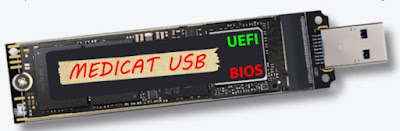
Quickly add Medicat 21.12 to Easy2Boot using a batch file
The current Medicat download is designed to make a Ventoy USB drive and you can just extract the contents of the large MediCat.USB.v21.12.7z onto your E2B USB drive and use 'Ventoy for Easy2Boot' to boot the files or agFM menu system.
However, if you want to use the payloads with the E2B menu system then you will need to extract each of the .iso and .wim files from the .7z package and individually copy them to the E2B menu folders (or use a .cmd script - see below).
Sunday, 9 January 2022
eBook 'Getting started with Ventoy v1.06' is now available
The 'Getting started with Ventoy' eBook has now been updated to version 1.06.
Since the new VentoyPlugson.exe configuration application will not recognise a standard Easy2Boot USB drive, if you want to use the new browser-based application to make or change your ventoy.json configuration file, you can only use it on an E2B USB drive if you first 'convert' the E2B USB drive to an 'official' Ventoy USB drive.
![]() |
| The VentoyPlugson web app is for configuring Ventoy. |
The eBook now contains a new section on how to use the VentoyPlugson.exe application on an Easy2Boot USB drive.
All my eBook updates are free - just use the email link that was sent to you by Payhip when you made the original purchase.
Thursday, 30 December 2021
Add rEFInd to Ventoy to allow you to UEFI64-boot from any file/partition/disk
I have added instructions here on how to add the rEFInd image file to agFM and/or Ventoy so that you can UEFI64-boot from any EFI file on any partition in the system (not just the Ventoy main USB partition).
Note that using the 'Install rEFInd' icon (dark blue square with down-arrow), you can install rEFInd onto any disk in the system.
Tuesday, 28 December 2021
agFM v1.76 released
\e2b\Update agFM\Make_Latest_ventoy_Partition_Image.cmd which makes the Ventoy images described see here. The old cmd file was downloading Ventoy 1.0.62 instead of 1.0.63.
1.76 2021-12-28 – fix \e2b\Update agFM\Make_Latest_ventoy_Partition_Image.cmd so always downloads latest version.
Monday, 20 December 2021
E2B v2.11 released
v2.11 is now released. It is the same as v2.11d Beta.
v2.11 2021-12-19- Bugfix – file extension overrides xxxxxx_.isodef.iso not working in 2.10
- Add sample ReloadVentoy.mnu menu for when adding E2B to a Ventoy USB drive (and _ISO\docs\Sample mnu files\Ventoy\ventoy_grub.cfg file sample file for \ventoy folder)
- Update Launcher.exe, latest RMPartUSB.exe
- Update language strings
- Update .cmd files to use windows find.exe in all places in case user has changed Windows default path
Saturday, 11 December 2021
Add E2B to your Ventoy USB drive
If you have switched over to using Ventoy as your main USB multiboot tool but you still need your trusty E2B USB drive for some Legacy boot tasks such as to boot to DOS images, Legacy booting some Linux ISOs which Ventoy doesn't support, install Win98/Win2K/XP, auto-install Windows legacy with drivers+apps (SDI_CHOCO), run PassPass, etc. then why not add E2B to your Ventoy USB drive as well?
It is very easy to do and I have added a new page with instructions here.
Tip: Use E2B v2.14 or later.
Note that .imgPTN files are not supported when using a Ventoy USB drive.
Saturday, 4 December 2021
Why not start a 'side-hustle' during the holidays?
Instead of watching your favourite box-set again during the holidays, why not use the time to set up a 'side-hustle' or two instead? With the Omicron virus around, you won't be going out much anyway...
So with a little bit of effort why not earn extra income from the internet. In many cases, this can be set up as a 'passive income' source - i.e. once you set it up, it will continue to earn you money for many years and you don't have to do anything else except count the money every month!
For instance, I set up a RedBubble 'shop' in just one day yesterday (and I have ZERO skills when it comes to graphics design as you can probably tell!). RedBubble will sell your designs for you. Your designs are printed onto a wide range of their products on demand and it costs nothing to start.
Can you work out the message on my plain black T-shirt below (for maths geeks only - and it is for sale - tip: try the coupon code FINISHLINE before Dec 8th and you may get 25% off!;-)?
Thursday, 2 December 2021
eBook 'Getting started with Ventoy' v1.05 now available
My PDF-based eBook 'Getting started with Ventoy' v1.05 has now been updated for the latest version of Ventoy.
Ventoy v1.0.62 now includes the new VentoyPlugson web-based app so you can easily make and tweak your ventoy.json file.
You can get the updated eBook for free using the link that was previously in your confirmation email from Payhip when you first bought the book.
If you haven't already purchased the eBook then please visit my store here (multibuy discount will be applied at checkout if you buy more than one).
Ventoy v1.0.62
1. VentoyPlugson —— A GUI plugin configurator. Notes2. Add default_file option in theme plugin. Notes
3. Add F5 Tools --> Theme Select menu to switch between themes. Notes
4. Automatically fix volume abnormal status when do non-destructive install in Windows.
5. Optimization for FreeBSD boot process.
6. Optimization for Ventoy2Disk.sh
7. languages.json update
Saturday, 27 November 2021
agFM v1.75 released (bugfix for Windows ISOs not booting in Legacy mode)
I accidentally introduced a Legacy Windows ISO problem in agFM v1.73 and v1.74.
In an attempt to fix a grub2 bug involving the loopback command which caused a problem on some PCs, I changed the windows iso code to load some required uncompressed files instead of compressed .xz files. Unfortunately, although this worked for UEFI mode, it seems it does not work for Legacy mode (for some strange reason - must be a grub2 bug?).
I have therefore changed back the grub2 code to load the compressed .xz files if grubfm is booted in Legacy mode.
i.e this code
loopback wimboot (${user})/boot/grubfm/wimbootxz;loopback install (${user})/boot/grubfm/installxz;
works in UEFI mode but for some strange reason not in MBR\Legacy mode!
Thursday, 18 November 2021
eBook 'Getting started with Ventoy' v1.04 now available
I have made some small updates to my eBook 'Getting started with Ventoy'.
You can get the new version by using the original link in the confirmation email that was sent to you when you first purchased it.
If you haven't got it yet, it is available here (with 10% discount on total if you buy more than one).
Friday, 12 November 2021
E2B v2.11c Beta is now available (but needs some English strings translated)
The latest Beta of E2B is now available: v2.11c.
Some of the .mnu files for UEFI/agFM/Ventoy support in \_ISO\MAINMENU folder were 'hard-coded' to English. In the new Beta 2.11c I have now put the menu titles into each of the language files (however they are still in English):