Tuesday, 17 January 2017

Which is best, the SanDisk Extreme Pro or the cheaper SanDisk Extreme (you may be surprised!)?

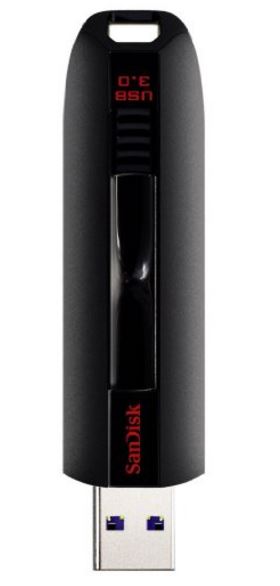
Hurray! My new SanDisk Extreme Pro USB 3.0 128GB flash drive just came this morning.

Extreme Pro 128GB $70
Extreme 128GB $60

I have now run a few tests on it and compared it directly with the SanDisk Extreme USB 3.0 64GB flash drive.

I tested the Pro using Crystal DiskMark and then filled to entire drive with junk data and then repeated the test. This ensured that the flash controller had to perform a read-erase-write cycle on every write when running any further tests. However, there was no difference between benchmarks after I had filled it with junk data and then re-formatted it. This indicates that the USB controller always does a read-erase-write cycle on every write (so not an SSD controller).

The Crystal DiskMark results are shown below:

Monday, 16 January 2017

Find and boot to a Windows recovery.wim file (e.g. winre.wim)

Alex had a problem...

Often a Windows system cannot boot (not even to the recovery mode), but the recovery partition on that system will contain the correct WinRE.wim file that can be used to repair that OS.

He wanted to be able to boot to Easy2Boot and then boot to the WinRE.wim recovery file that was on the internal hard disk. That way, he could be sure he was using the correct version of the recovery .wim file for that system. Also, his E2B drive did not need to contain all of the possible Windows install ISO versions that there are in the world!

E2B can directly boot to an NT6 .wim file; you just need to specify the full path of the .wim file.

The problem is that different Windows systems keep the .wim file in different folders.

To further compound the issue, on his Windows 7 systems, the directory name often varied on different systems, e.g.

/Recovery/398cea27-6312-11e6-a670-10604b8d82a9/WinRe.wim

Saturday, 14 January 2017

You need to be an experienced techie to make an E2B USB drive, don't you?


Watch this video by young Marcus for your answer (and give him a 'like' too)!

Add the recent Gandalf PE builds to E2B


The latest Gandalf PE builds from WindowsMatters.com are (at the time of writing):

Gandalf’s Win10PE x64 Redstone build 14393 version 11-10-2016

Gandalf’s Win10PE x86 Redstone build 14393 version 11-07-2016

Using a partition image (UEFI+MBR)

You can add these to your E2B drive is to convert each ISO to a .imgPTN file using the MPI_FAT32 shortcut provided by the MPI Tool Kit. It should then MBR or UEFI-boot.

For the x64 ISO you will need to increase the suggested size to 5100MB.
For the x86 ISO you will need to increase the suggested size to 4300MB.

Tips: If you want as small a .imgPTN file as possible, extract the contents of the ISO to an empty folder on your desktop and then drag-and-drop the folder onto the MPI_FAT32 shortcut.
Use a file extension of .imgPTNauto so that it goes directly to the CSM menu and also add a timeout 3 line to the \menu.lst file inside the image.

Direct MBR-boot from ISOs (MBR only)

E2B v1.90 and later supports direct booting of WinBuilder-based ISOs.

1. Ensure the .ISO file has no spaces in the file name
2. Keep the file extension as .ISO (do not use any other extension)
3. (optional) If you want to suppress the QRUN suggestion prompt, ensure the filename ends with the letter q or Q - e.g. Gandalfx64_q.iso.

Friday, 13 January 2017

Animated Flags for E2B available


I have uploaded an Animated_Flags.zip file to the Alternate Downloads - Other files folders.

UK wavy flag at top-right

Thursday, 12 January 2017

Add Raspberry Raspbian\Pi Pixel x86 with persistence to E2B

The PIXEL ISO (Debian+PIXEL for Intel x86 CPUs) will boot if you copy the ISO to your E2B drive. It is designed to run on old, low-spec systems and be easy to use.


However, to be able to use the persistence option, you need to create a pixel-rw ext4 file and then create a persistence.conf file within it.

Here is the .mnu file for it.

E2B v1.88h/i available

Previously the \MAKE_E2B_USB_DRIVE (run as admin).cmd file was deleted from the E2B USB drive when a new one was made, in order to prevent the user from formatting his/her E2B drive.

I have now modified the script so that it checks for the case where the source drive has also been selected by the user as the target drive.

This means that if you or a friend wants a copy of your E2B USB drive, you can simply run the \MAKE_E2B_USB_DRIVE (run as admin).cmd file from your E2B drive and make an identical copy (complete with all payload files) onto another USB drive.

You will also need to copy any of your own user folders in the root of the source E2B drive to the target drive afterwards. For instance \MyFolder would not be copied to the target drive, only the \_ISO folder is copied.

Check the Alternate Download Areas for the new version.

Note: v1.88h had a bug in MAKE_E2B_USB_DRIVE.cmd. Please use v1.88i.

If copying a E2B Removable Flash drive to a USB hard  drive , you should remove the NOHELPER variable from within the \_ISO\MyE2B.cfg file on the USB HDD or else Windows Install ISOs when used with an E2B WinHelper Flash drive will not work!

Tuesday, 10 January 2017

E2B v1.88g Beta available


Changes from 1.87 are:
Changes from previous Beta version 1.88e are in bold
  • Add Server 2012 R2 Std Eval Product Key file
  • Update of Wincontig
  • Update SDI executables
  • Can now use .isofira or .isofira01 for Strelec WinPE ISOs
  • MAKE_THIS_DRIVE_CONTIGUOUS.cmd now only works on the USB root (\) folder and all folders under \_ISO. Any user folders under the root (e.g. disk backups, applications, etc.) will not be made contiguous when the script is run.
  • Latest version of grub4dos 0.4.6a
  • New jpeg-based default purple background for 2017 - should load faster.
  • Some changes to QRUN.g4b and language files.
  • New version of SWITCH_E2B.exe 1.0.13 (small bugfix)
  • Improved Spanish language files (thanks DW!)

The v1.88g Beta Download is available from the Alternate Download Areas.

Sunday, 8 January 2017

SanDisk Extreme PRO CZ88 128GB USB 3.0 for $71 from Amazon.com (USA)

 I have just ordered one of these for $71 from here as the price has just been reduced (£67 in the UK).

SanDisk Extreme Pro 128GB


I have not tested one yet, but I am hoping it will prove to be slightly faster than the SanDisk Extreme USB 3.0 flash drive ($58) which I highly recommend for normal E2B use.

SanDisk Extreme 128GB
See also 'Beware of this (fast) USB 3.0 drive!'

Friday, 6 January 2017

E2B v1.88e Beta is now available


Changes from 1.87 are:
  • Add Server 2012 R2 Std Eval Product Key file
  • Update of Wincontig
  • Update SDI executables
  • Can now use .isofira or .isofira01 for Strelec WinPE ISOs
  • MAKE_THIS_DRIVE_CONTIGUOUS.cmd now only works on the USB root (\) folder and all folders under \_ISO. Any user folders under the root (e.g. disk backups, applications, etc.) will not be made contiguous when the script is run.
  • Latest version of grub4dos 0.4.6a
  • New jpeg-based default purple background for 2017 (see screenshot below). 
  • Some changes to QRUN.g4b and language files.
Download is available from the Alternate Download Areas.


Please update your E2B drives and let me know if you spot a problem or have a comment. This is considered a 'release candidate' for 1.88.

Wednesday, 4 January 2017

Foolish IT - 20% off sale now on!

The guys at Foolish IT have a 20% sale on all their products at the moment (if you are quick).

For IT Technicians look at their d7ii software.

  • Provides quick automation with profile switching and execution for different repair scenarios
  • Keep work logs automatically, or quickly build a custom work report with logged actions and templates
  • Extremely customizable configurations enable personalization of tech workflow to your preferences
  • Provides techs with a consistent procedure, ensuring quality performance increases
  • New techs get ‘on the job training’ to your guidelines, while handling 80-90% of the bench work like a seasoned pro!
  • Bottom Line:  Increase technician productivity and efficiency, save time and dramatically increase revenue!

Their latest video about the d7ii Support Online tool is here and they have a channel on YouTube here too.

For their crypto-prevention malware solution (they were the original pioneers of the honey-pot method) check out their CryptoPrevent product (there is a free version too!).

They also have some other free software which you can download here.

Wednesday, 28 December 2016

E2B v1.88d Beta available

Marco has kindly made some changes to WinContig which allows me to now make the MAKE_THIS_DRIVE_CONTIGUOUS.cmd script just operate on files in the root of the drive and then it runs on files under the \_ISO folder (so WinContig runs twice).

This means that WinContig does not attempt to make any files in the user's own folders contiguous.

The E2B 1.88d Beta is available from the Alternate Download Areas.

Note: WinContig.exe is a Beta version.

P.S. If you are wondering about v1.88c, it only lasted a few minutes, I decided it was better to do it this way!

Tip: If you only want to make files in the root contiguous, or files under \_ISO contiguous, you can simply copy one of the .cmd scripts from the \_ISO\docs\WINCONTIG folder to the root of your E2B drive.

Monday, 26 December 2016

E2B 1.88b Beta available

Morozko37 has reported that the Strelec WinPE ISOs should work with .isofira or .isofira01 file extensions, but don't (it does not load the ISO as a virtual CD).

This seems to be due to some missing lines in the QRUN.g4b code.

The additional lines have been added in v1.88b and so you can now use the file extension of .isofira01 with Strelec or other similar WinPE ISO builds that include the firadisk driver.

Saturday, 24 December 2016

E2B v.1.88a Beta available

E2B v1.88a Beta changes:

  • Add Server 2012 R2 Std Eval Product Key file
  • Add \MAKE_ISO_FOLDER_CONTIGUOUS.cmd (works on \_ISO and below only)
  • Update to Wincontig v2.1.0.0
  • Update SDI executables
The 90-day evaluation Server 2012 R2 Standard installation-only Product Key has been added to the \_ISO\WINDOWS\SVR2012 folder.

If you have added your own portable applications, etc, to the E2B drive, when you run MAKE_THIS_DRIVE_CONTIGUOUS.cmd it will make all files on the E2B drive contiguous including all of your own files. I have now added \MAKE_ISO_FOLDER_CONTIGUOUS.cmd which will only make files below the \_ISO folder contiguous. 

This means that if you have persistent files (casper-rw, ubuntu-rw, etc.) in the root of the E2B USB drive, you will also need to make these contiguous. To do this either:

1. Move the persistent files from the root folder to the same folder as it's payload+.mnu file and then modify each .mnu file, e.g.

was:

set PF=/ubuntu-rw

change to:

set PF=$HOME$/ubuntu-rw

Now you can use \MAKE_ISO_FOLDER_CONTIGUOUS.cmd because all the E2B payload files will be below \_ISO.

OR

2. Run \_ISO\docs\WINCONTIG\WinContig.exe and manually select the file(s) you want to make contiguous.

OR

3. Run \MAKE_THIS_DRIVE_CONTIGUOUS.cmd as before.

Merry Christmas!
Steve

Friday, 23 December 2016

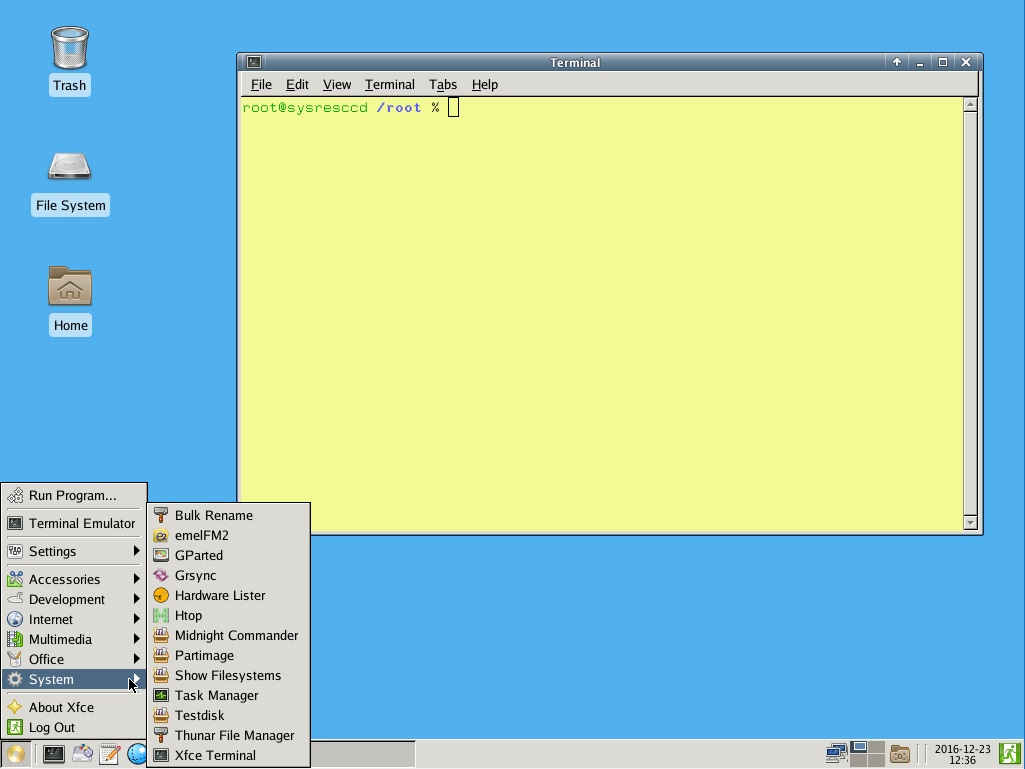
Add the SystemRescueCD + persistence (MBR and UEFI) to E2B


The SystemRescueCD contains several useful features:

Description: 
SystemRescueCd is a Linux system rescue disk available as a bootable CD-ROM or USB stick for administrating or repairing your system and data after a crash. It aims to provide an easy way to carry out admin tasks on your computer, such as creating and editing the hard disk partitions. 
It comes with a lot of linux software such as system tools (parted, partimage, fstools, ...) and basic tools (editors, midnight commander, network tools). It can be used for both Linux and windows computers, and on desktops as well as servers. This rescue system requires no installation as it can be booted from a CD/DVD drive or USB stick, but it can be installed on the hard disk if you wish. The kernel supports all important file systems (ext2/ext3/ext4, reiserfs, btrfs, xfs, jfs, vfat, ntfs), as well as network filesystems (samba and nfs).

It can be used with E2B for MBR-booting just by adding the ISO file (no persistence, no danger of the .iso file getting infected or corrupted).

The current (2019) version is version 6 and is based on Arch Linux (see end of article for details)...

Wednesday, 21 December 2016

27 new E2B wallpapers by 'DW' available

'DW' has provided a selection of 27 different E2B background bitmaps which have a semi-transparent grey panel overlaid onto them.

The DW_themes.zip file (18MB) can be found in the Alternate Download Area - Themes folders.

Copy whatever .bmp file you fancy to your E2B drive and also the Example_MyE2B.cfg file and then load the .cfg file into the E2B_Editor.exe and save the file as \_ISO\MyE2B.cfg.

Once you have it working, you can compress the .bmp file if you wish to save space. E2B (grub4dos) understands .gz format and LZMA format (see \_ISO\docs\E2B_Utilities\LZMA folder).

cloud3.bmp

Tuesday, 20 December 2016

Add a full installation of Solus to E2B

Max wanted to have a full persistent installation of Solus on his E2B drive.

You can do a full installation of many linux OS's to an empty .imgPTN file following this method.
The same method is also described here for Manjaro linux.

For Solus, after I switched in the new partition images (solus.imgPTN and a 10GB solus file with no extension), I just choose to install to /  on /dev/sda3 and format it as ext4 (no swap partition). I used a 10GB solus file which left 6GB free after installing Solus.

However, when using the Solus 1.2.1 ISO to install with, the Solus installer does not offer the choice of the /dev/sda3 partition to install the grub2 boot loader. It is either \dev\sda  (the E2B USB MBR!) or nothing.

Here is how to get around this...

New RansomWare software (Cybereason RansomFree) - but there is a catch which you may not like!

This new free Cybereason RansomFree software detects ransomware using the 'honeypot' technique.

It seems to create new folders that begin with { or ~{ and other strange characters, and then fills those folders with various  'tempting' .doc,  .txt, .rtf, .xls etc. files. It then monitors them for changes and will allow you to kill any task that attempts to makes any changes to any those files.

A nice touch (or weakness?) is that the honeypot files that it creates are mostly hidden from the normal user when using Windows Explorer to view your folders.

The honeypot theory assumes that any ransomware will scan the drive and find these files before it finds your important files and then the RansomFree software will be able to warn you before too much harm is done. It did not seem to place any honeypot files on any other volume in my system however, so it seems to be only monitoring the C: drive.

See YouTube video here.

It has been tested and reviewed by Bleeping Computers also.

But here's the catch...

Saturday, 17 December 2016

Add the NirLauncher utility to your E2B USB drive to launch portable NirSoft utilities + others

NirSoft make lots of very useful Windows utilities, most of which are portable.

Use the NirSoft NirLauncher to quickly select a suitable NirSoft utility.
The NirLauncher utility allows you to run any of the 200+ portable utilities from a USB drive.


Wednesday, 14 December 2016

New YouTube video on how to make an Unattend.xml file

E2B contains a few example Unattend.xml files which can be used with unmodified Windows ISOs and a USB Flash drive to perform a completely hands-free automated Windows install.

The video explains how to prepare your own XML file quickly with your own settings using WAFG and XMLtoE2B.